Showing posts with label interactive. Show all posts

Saturday, March 24, 2012

Digital Media and Learning 2012: Video presentation and video of John Seely Brown's keynote

This is a video of students from Morningside, Crenshaw, Rosevelt, Locke, and Manual Arts high schools in L.A. who presented a session on Education for a Digital Democracy at the recent Digital Media and Learning Conference. 

What I especially like about this presentation is the way the students highlighted the current state of technology in their urban schools, and what they have to say about their schools' policies regarding the use of personal technologies during the school day.


Thanks to the School Library Journal and Scott McCloud for sharing this!

If you are interested in digital media/new media/multimedia and learning, take the time to view John Seely Brown's DML 2012 Keynote:
Cultivating the Entrepreneurial Learner in the 21st Century


RELATED
Douglas Thomas and John Seely Brown 

Cross-posted on the Interactive Multimedia Technology blog.


Monday, January 16, 2012

GeekDads (and Moms with Apps)


GeekDad's Post: The Changing Nature of App Design for Kids (quick link)

The Changing Nature of App Design and Development for Kids
Daniel Donahoo, GEEKDAD, Wired,  1/16/12
"During 2011, I have observed a real push towards app development and digital design for children that is respectful and purposeful - not just a marketing and money making exercise." -Daniel Donahoo
I encourage you take the time to read Daniel Donahoo's thoughtful post!

RELATED
GeekDad Opinion:  We Need a Children's Apps Rating System
Daniel Donahoo, GEEKDAD, Wired, 12/11/10
Moms with Apps Workshop Summary
Moms with Apps, 12/4/11

Cross-posted on the Interactive Multimedia Technology blog

Tuesday, April 26, 2011

A Brief Overview of Calming Technology (Research group at Stanford University)

What is calming technology?  I've been meaning to write a few in-depth posts on this topic, but I've had little time.  For now, here's a brief overview of the topic:


"Calming Technologies are tools that reduce stress and anxiety, improve focus and clarity, and help develop calming physical, cognitive, and emotional habits." -CalmingTech

Calming Technology 
"CalmingTechnology.com is the research blog for the Calming Technology research group at Stanford University. We draw from the fields of human-computer interaction, persuasion and influence, psychology and perception, and medicine and anatomy. Previously we referred to this field as "augmented relaxation" and similar names..."


Calming Technology Course, Stanford Persuasive Tech Lab, taught by BJ Fogg and Neema Moraveji


CalmingTech (twitter)

Calming Technology Bibilography

Calming Technology (pdf)
Neema Moraveji, Neekaan Oshidary, Roy Pea, BJ Fogg (CHI 2011)


Links: Calming technology projects,  freeware, and commercial products

As I explore this topic, I'll post more information!

Friday, December 24, 2010

Hans Rosling Interacts with Health Data: 200 Countries, 200 Years, 4 Minutes

Hans Rosling's enthusiasm for data visualization has increased my appreciation for statistics. In the video below, Rosling interacts with 120,000 data points related to 200 countries over 200 years. I especially like the "Alternate Reality" effect.


"Unveiling the beauty of statistics for a fact based world view"

Hans Rosling is a Professor of Global Health in Stockholm, Sweden, and the Director of the Gapminder Foundation.  The Gapminder World website has a wealth of resources for teachers, students, and anyone who is interested in learning about things through the use of information visualization. 

According to information from the website, "Gapminder is a non-profit venture – a modern “museum” on the Internet – promoting sustainable global development and achievement of the United Nations Millennium Development Goals.Gapminder was founded in Stockholm by Ola Rosling, Anna Rosling Rönnlund and Hans Rosling on February 25, 2005. Gapminder is registered as a Foundation at Stockholm County Administration Board (Länstyrelsen i Stockholm) with registration number (organisationsnummer) 802424-7721."

Below is a list of annotated links to various Gapminder webpages:
Gapminder Labs: "Gapminder Labs is where we experiment with new features, visualizations and tools. Some of these might later gain a more prominent place on Gapminder.org."
Gapminder for Teachers: "This section is for educators who want to use Gapminder in their education. You'll find shortcuts to tools and guides for Gapminder in a classroom."
Gapminder Downloads: This section includes links to downloadable content, such as Gapminder Desktop, handouts, lesson plans, including teacher guides, and a good number of interesting interactive presentations.
Gapminder Videos: The videos include interesting presentations as well as a number of Hans Rosling's TED talks. The material is free to use and distribute under the Creative Commons License.
Data in Gapminder World:  This section includes all of the indicators displayed in Gapminder World.

Saturday, November 20, 2010

Interactive Puppet Application for the Xbox Kinect, by design.io, creators of Funky Forest

I came across the following video on a post on the  Creative Applications blog about the Theo Watson and Emily Gobeille's  recent work with OpenFrameworks, Kinect, and an interactive puppet prototoype:

Interactive Puppet Prototype with Xbox Kinect from Theo Watson on Vimeo.

I'm not surprised that Theo Watson and Emily (design.io) decided to experiment with the XBox Kinect. I can't wait to see what they will create for Kinect in the future, based on their previous work --   A couple of years ago I wrote a post about their enchanting interactive installation, "Funky Forest":  OpenFrameworks & Interactive Multimedia:  Funky Forest Installation for CinKid. 


You can see from the video of their Funky Forest installation (2007 CinKid) that they create engaging interactive applications:

Funky Forest - Interactive Ecosystem from Theo Watson on Vimeo.
(Information from Theo Watson's Vimeo site)
"Funky Forest is a wild and crazy ecosystem where children manage the resources to influence the environment around them. By using their bodies or pillow "rocks" and "logs", water flowing from the digital stream on the floor can be dammed and diverted to the forest to make different parts grow. If a tree does not receive enough water it withers away but by pressing their bodies into the forest children create new trees based on their shape and character. As children explore and play they discover that the environment is inhabited by a variety of sonic life forms and creatures who appear and disappear depending on the health of the forest. As the seasons change the creatures also go through a metamorphosis."
Credits:
Theodore Watson
Emily Gobeille
Project Page:
muonics.net/​site_docs/​work.php?id=41
zanyparade.com/​v8/​projects.php?id=12


Note:  A version of Funky Forest, Moomah Edition, is permanently installed in New York City at the Moomah Children's Cafe. This version includes interactive environments related to the four seasons of the year, including an interactive particle system with falling leaves and snow.


FOR THE TECH-CURIOUS
Libfreenect for OX, by Theodore Watson

XBox Kinect running on OS X ( with source code ) from Theo Watson on Vimeo.
The following information and links were taken from the Vimeo description of the above video:  
"This is a port/adaptation of Hector Martin's libfreenect for OS X made by Theodore Watson.
Hector Martin's Libfreenect project page is here:  git.marcansoft.com/​?p=libfreenect.git
Most of the code is unchanged but there are some changes to libusb which was needed to get it running (and a few extra libusb commands) as well as some tweaking of the transfer sizes.
It should be self contained and you shouldn't need to install libusb (the app links it directly ).
Grab the Source Code:
UPDATE:
(Tested on OS X 10.6.3 - 32bit now and with fixes)
theo.tw/​deliver/​kinect/​001-libfreenect-modded-osx-updated.zip
ofxKinect for OF users - thanks Dan!
openframeworks.cc/​forum/​viewtopic.php?p=24948#p24948
Tips:
- Try both usb ports.
- Try not to have too many other devices plugged in (or any)."


(Check the Vimeo website to see if there are updates)


OpenFrameworks Forum
http://www.openframeworks.cc/forum/


RELATED
Presentation about Funky Forest  (ThisHappened)

Emily Gobeille & Theo Watson talk about Funky Forest from This happened – Utrecht on Vimeo.


Cross-posted on the Interactive Multimedia Technology blog.

Tuesday, November 02, 2010

Games to lift stress away: Flower, flOw, and Cloud, from thatgamecompany

This is a cross-post of a popular post from the Interactive Multimedia Technology blog that I think will be of interest to TechPsych readers:


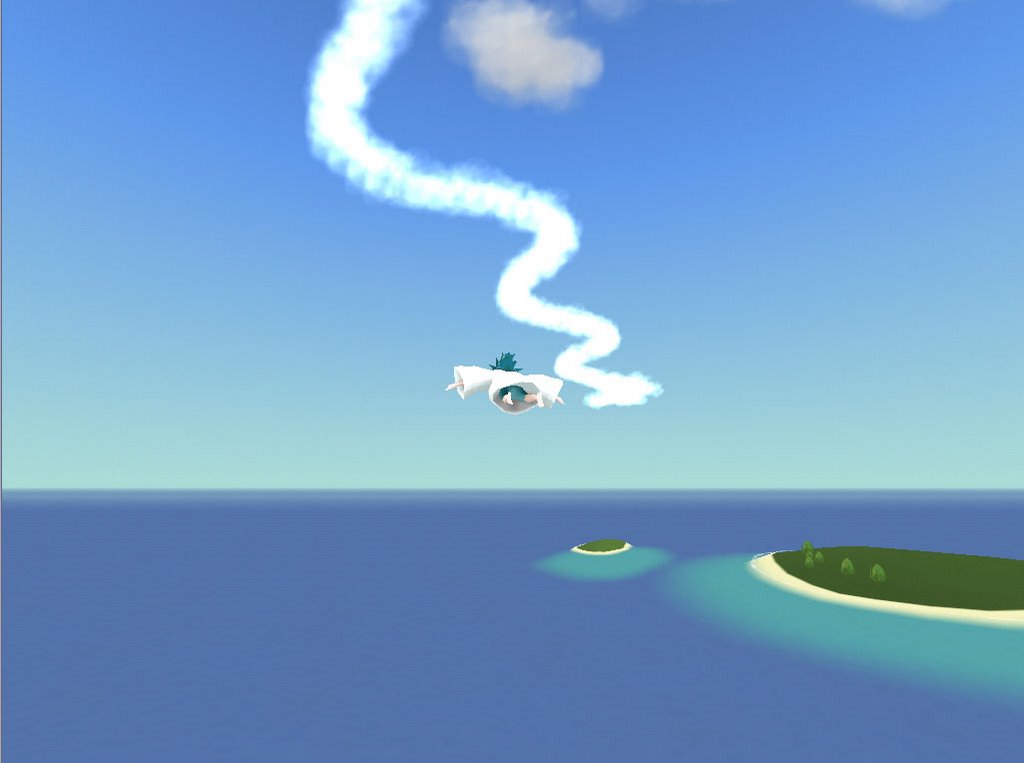
As I set out to revisit some of my early posts on this blog, I came across a link to a review the Flower game, created for the Playstation 3 by Jenova Chen, Kellee Santiago, and other members of thatgamecompany. It is good to know that this group continues to work towards the goal of creating innovative games that provide gaming experiences that are calming, pleasant to use, and unlike most game genres.

The following video review by Pete Dorr won't give enough details about the game to spoil it for you. Go ahead and watch the review!


Since I don't have a PS3 (yet), I'm sharing a couple of reviews of Flower that I found on the IGN website:

"thatgamecompany's mellow, beautiful adventure through the dreams of plants starts out so disarmingly pleasant that one would be forgiven for assuming it's just a game about flying around and picking up flower petals. It's not until one experiences the couple-hour experience from beginning to end (preferably with 5.1 audio, the lights off and no human distractions) that the game really gets its emotional hooks into you. Without ever introducing a single line of dialogue, any characters (at least in the traditional sense) or clear goals, Flower takes you on a ride that's over far too soon, yet somehow seems just right for what it's trying to do: suck you into a world without the usual video game trappings while playing with your emotions in a way no amount of manufactured tear-jerk dialogue or surprise deaths ever could. It really is unlike anything else you'll ever play and stands as one of the best (if not the best) examples of SixAxis motion controls on the PS3."


"thatgamecompany has depicted something that I never once imagined: what would a flower's dream look like if we could see it? Flower, a PS3 downloadable that comes as a spiritual successor to flOw, is one of the most beautiful games that I've ever played. Not just because the visuals are entirely breathtaking, but also because the experience of playing it offers more enjoyment, emotion and enlightenment than any game I've tried in years."

"Before you read on, keep in mind that Flower isn't quite for everyone. There will be those that experiment with it but won't see the point, as it strays so far from the traditional spectrum of gameplay systems, but it's truly worth playing...Flower is a poem, where you as the player participate in the dreams of flowers confined to the ever-changing landscape of a colorless city. Each dream, or stage, revolves around a different theme and gameplay objective, but your method of control remains the same: tilt the controller to direct a series of flower petals through beautiful environments. Press any button to stir up a wind that will coax them along. As you begin with one flower petal, you'll soon touch other flowers and gather more petals, generally influencing the environment in a way that pleases the dreamer. This setup works amazingly well to create varying tasks for you to enjoy..."

Flower was listed as one one of the best games for the Playstation 3 for HDTV, along with a flOw, a 2006 game from the same company:

Best Playstation 3 Games For Showing Off Your New HDTV


http://iamshallow.files.wordpress.com/2009/05/flower-20070920032053752.jpg
Flower


"Supported HD Output: 720p, 1080i, 1080p- From the same developers that brought you the serene flOw comes Flower, whose gameplay has players guiding a flower petal across gorgeously rendered fields and plains, replete with individually modeled leaves of grass that blow and sway in the wind. Colorful, peaceful, and exhillerating, Flower is a difficult game to describe, and simply must be experienced in all it’s HD beauty to truly be appreciated. A real gem."

(Flower is played with the Sixaxis wireless game controller that can sense motions and provide precision in interactive game play. The Sixaxis was recently replaced by Duoalshock 3, which provides motion sensing and rumble. I'm not sure if the new controller works with Flower.)

http://selectstartgames.files.wordpress.com/2009/05/flow_ps3_hero.jpg

flOw
"Supported HD Output: 720p, 1080i, 1080p- Calm, serene, and beautiful in it’s simplicity, flOw was one of the first PSN titles released when the Playstation 3 launched in November 2006, and it’s still a gorgeous work of art. From the calming music, to the simple gameplay, flOw proves that you don’t need high resolution textures and thousands of animations to produce a beautiful image."

"FlOw is a game about piloting an aquatic organism through a surreal biosphere where players consume other organisms, evolve, and advance their organisms to the abyss."


I came across Cloud about four years ago, when I was looking for non-violent games that could support relaxation and stress-reduction. Cloud was created by some of the members of thatgamecompany when they were students at UCS.

I later posted about how I used the game in in my work as a school psychologist:

Cloud is a relaxing, nonviolent game, created by graduate students at USC. The character, a child, flies around, collecting clouds and putting them into puzzles in the sky. The music is very soothing. The game is free and can be downloaded through the website. This game could be used to help relax students with anxiety disorders, Asperger syndrome, etc., develop coping strategies. Here is the link to the Cloud video trailer.
(I use the Cloud Game as a form of crisis intervention with students undergoing high level of agitation and stress at the middle and high school level.)

Below is a video of the Cloud game, which was designed for use on a computer. It still appears to be available for free from the USC website.


FlOw was Jenova Chen's MFA Thesis, built upon Mihaly Csikszenmihalyi's Flow Theory:

"being completely involved in an activity for its own sake. The ego falls away. Time flies. Every action, movement, and thought follows inevitably from the previous one, like playing jazz. Your whole being is involved, and you're using your skills to the utmost."

The game went on to become an award-winning PS3 game.
The early web-based version of flOw is free, and some of the gameplay can be done using your finger on a touch screen. The music is relaxing, almost hypnotic.


Why this is important:

There is a need for games that can be used for relaxation, as most commercial games focus on action and thrills, often delivered through violence.

(Pictures and videos are from the IGN website, YouTube, and related websites.)

Monday, October 18, 2010

Physicsgames.net: Physics games for interactive whiteboards and touch screens that you can embed on your website!

Physics Games

I have collected lots of resources for interactive whiteboards and other touch-screens, such  all-in-one Touch PC's such as the Dell and HP TouchSmart.  Some are optimized for use on mobile devices such as the iPhone, iPad, and Droids.  

I'd like to highlight a few online interactive educational games on this blog from time-to-time.

The PhysicsGames site is full of games that can be embedded into a blog or web page, making it easy for teachers and parents to organize and arrange the games as they see fit.  This feature also lets students do the same.

On the main page of the website, the games are arranged in alphabetical order, with picture icons for each game.  The titles of the games and the pictures on the icons give you a quick idea of what each game is about.  The games were created by a variety of developers, professionals, teachers, and if I'm not mistaken, tech-savvy students.

Below are links to the various categories of physics games found on the site. The games I explored all had music and sound effects, so make sure that the sound is turned on!  (Note: The site is supported by sponsors, but the advertising is not annoying-in many cases, you can skip the ads.)

Featured | All | Block Removal | Construction | Demolition | Platform | Projectile | Stacking | Othe


Cross-posted on the Interactive Multimedia Technology blog.

Saturday, August 21, 2010

Reflections on Technology: Interactive Whiteboards, School Psychology, and Speech & Language Services...

Background:  For those of you who are new to this blog, I work as a school psychologist in a public school district in North Carolina. During the mid 2000's, I took a variety of computer courses, leading up to a decision to work part time while taking graduate courses part-time such as human-computer interaction, games, information visualization, ubiquitous computing, VR, etc. I returned to work full time in 2008, due to the economic downturn.

I continue to maintain my passion for technology that supports natural user interaction, and share my interests on this blog and to a lesser extent, two other blogs.  I initially started blogging because it was a requirement for one of my courses, and found that my blogs served me well as on-line filing cabinets.

Update:  I don't usually post much about my work on this blog, but I have some exciting things to share.

New School Year, New SMARTBoard: I'd like am excited about the upcoming school year because my "home" school, Wolfe, a program that serves mostly teens and young adults up to age 22 who have more severe disabilities (including autism), now has an interactive whiteboard in every classroom.


School started for Wolfe students on July 26th, and three more whiteboards were installed.  One of the new SMARTboards is in the speech and language room, along with a multi-touch SMARTTable the school received last April, one is in the Art/Work Adjustment room, and one is in the room I use with small groups of students, which is used for music one day a week.


Although I have used interactive whiteboards in my work with students for several years, this is the first year that I have had one available to me most of the time in a school. Since most of the teachers received their IWBs over the past year, there is a pressing need to figure out what works, why it works, and how to create useful interactive content that is appropriate for the needs of students who have severe or multiple disabilities. We really can't wait.  

Why is this important to me?

Observations of positive changes:
Students who previously had limited interest in applications on the computer, or a limited attention span for such activities, demonstrate a high degree of interest and engagement with the activities on the IWBs we've tried so far.  Many students who do not attend to learning materials, or only for brief periods of time, actively look at the IWB screen and even interacting with it, and smile.   Some students who rarely-or never- speak sometimes vocalize more often during IWB activities!   Some are making connections between learning materials and what they interact with on the screen, something that simply did not happen previously.  Some students who rarely established eye contact with others or demonstrated joint attention do so during IWB activities, something I discussed in a post on the TechPsych blog.


Technology and my role as a school psychologist:
Designing effective interventions is part of my job as a school psychologist, and mixing interactive whiteboards and interventions is fairly uncharted territory.  I know that there are probably a few other school psychologists, counselors, social workers, and speech/language therapists out there who are wondering what to make of this technology and the students they serve directly, or indirectly through consultation.  There isn't much literature about this topic, so it is difficult to know what is truly "evidence based".

We are in the process of discovery. Within a school that has an IWB in every classroom, serving students with the most complex needs within the school district,  how can I best follow professional school psychology practices(pdf) regarding the provision of direct and indirect services. Some of these expectations are listed below:

"School psychologists promote the development and maintenance of learning environments that support resilience and academic growth, promote high rates of academic engaged time, and reduce negative influences on learning and behavior."

"School psychologists use information and assistive technology resources to enhance students’ cognitive and academic skills."

"School psychologists work with other school personnel to develop, implement, and evaluate effective interventions for increasing the amount of time students are engaged in learning."

"School psychologists facilitate design and delivery of curricula to help students develop effective behaviors, such as self-regulation and self-monitoring, planning/ organization, empathy, and healthy decision-making."


Working towards solutions:
I work closely with my colleague Kelly Cross, a speech and language therapist who serves Wolfe school and two classrooms of students with severe autism at a "regular" elementary school. Kelly also serves as the assistive technology and augmentative communication consultant for our school district.  She's used interactive applications and web resources for many years along with more traditional "hands-on" materials,  but like me, has had limited access to IWB's until recently.  She now has a SMARTboard in her room, along with the portable multi-touch SMARTTable Wolfe received last April.  We work with many of the same students, so with the influx of IWBs in our school, we've stepped up our collaboration.

One of Kelly's challenges is to figure out ways for teachers to integrate assistive technology and/or augmentative communication systems into their work with students during activities that involve interactive whiteboards.   Most of the research the area of assistive technology/aug com focuses on the use of technology to access applications as they are displayed on laptops or computer monitors, or factors related to the use of individual communication devices. The vSked project, led by Dr. Gillian Hayes at the University of California at Irvine, is on the right track in that it incorporates the use of a large interactive display that was used with students with autism, along with smaller hand-held communication systems, which I've discussed in a previous post.


vSked_1 575x320
vSKED in action

Workshop Presentation
This past week, Kelly and I presented at a workshop held in the Arlington VA school district that focused on the use of interactive whiteboards and related applications and web resources with students with special needs.  We shared some of the exciting things we've noticed with our students and shared "before and after" examples.  Included in the presentation were some of the video clips I quickly put together during the first days of school that had an impressive positive impact with students when they were used during interactive whiteboard activities. (Some of these video clips can be found in a previous post: Video clips that help students with autism learn and feel calm at the same time!)

During the workshop, we discussed a few guiding principals, such as the "least dangerous assumption" and the concept of Universal Design for Learning.   We also provided a sampling of resources previously used on the "small screen" appear to powerful when used with students interacting on the larger whiteboard screens.  Below are a few of the resources we shared:

Clicker5 is an application to support reading and writing that provides a natural voice output, and child-friendly word processor. It works well on interactive whitboards It can incorporate several communication symbol systems. It is a good tool for informal assessment with students with communication and other related needs.


Sensory World provides an intuitive navigation system for students to use as they explore various areas of a house and engage in learning and related activities. The site map for all of the areas of the house, as well as the activities, is graphical.


We shared resources from the National Gallery of Art's Kids Zone, a great website that plenty of interactive content:


Teachers who want a limited browsing environment for their students the Zac Browser is great for use on IWBs and the new large all-in-one touch screen displays:
Zac Browser

Another website that is good for visual-based browsing is Symbol World:

"The intention is that symbol readers, teachers and carers will contribute, and we are delighted at the number of contributors that have already sent us their work"

We shared a recent find, Taptu rthat can be used on an IWB.  Although Taptu focuses on the mobile touchable web, accessed through smartphones with internet access, it provides links to a wide range of websites designed with intuitive touch interaction in mind, perfect for students with special needs.  In many cases, Taptu web navigation resources work fine on the larger screen of the IWB.  The advantage is that a icon/visual based touch navigation system supports students who can't type and also those who have very limited reading skills.


Sports Navigation for Taptu

Below is a slideshow about the touchable web:
Taptu: Virtual Roundtable


Update: SMARTTable
At Wolfe, we'd like to create a conversation wheel with related activities for the SMARTTable that co-ordinate with SMARTBoard activities.  We'll probably experiment with the conversation wheel concept on the SMARTboard first.


Considerations:
One thing we've learned over the past few months is that it is bit more complicated to create content and activities for the SMARTTable than for the SMARTBoard notebook or Promethean flipchart.   We hope to have it customized to support scaffolded, customized classroom activities for students with special needs, but it might take more time than we had anticipated.  The school's immediate need is for touchable interactive content for all of the classroom IWB's, suitable for our students.

Complications:
Programming for the SMARTTable, for those who have 64-bit computers, requires Windows 7, Visual Studio 2008, and Expression Blend 3.   My HP Touchsmart, my home computer, is 64 bit, but runs Vista.  My school-issued laptop runs Windows XP and is also 64-bit.  To upgrade it, I will have to send it to the tech department for several weeks.   It will be slow-going, since I have to plan for my day-to-day activities and evaluations with students first.

Possible SMARTTable Solutions:
I'm hoping that some students from UNC-Charlotte might want to try their hand at multi-touch programming and help us out!  We'd welcome volunteers from other universities as well.   Wolfe's principal, Mary Jo Breckenridge, is very supportive of the use of innovative technologies with students with special needs, and would figure out a way to make a collaboration happen.

RELATED & SOMEWHAT RELATED
"The AAC-RERC conducts a comprehensive program of research, development, training, and dissemination activities that address the NIDRR priorities and seek to improve technologies for individuals who rely on augmentative and alternative communication (AAC) technologies. The mission of the AAC-RERC is to assist people who rely on augmentative and alternative communication to achieve their goals by advancing and promoting AAC technologies and supporting the individuals who use, manufacture, and recommend them."


Janet Light, Kathy Drager, Penn State University

Jeff Higginbotham's Bibliography:  Viewing AAC Through Authentic Social Interactions (pdf)

ProLoquo2Go (iPhone/iPod Touch/iPad communication system)


Also posted on the Interactive Multimedia Technology blog

Thursday, June 03, 2010

Update: One Laptop Per Child - Pics and Video Interview

This is cross-posted on the Interactive Multimedia Technology blog.

Below are pictures of the prototype of the XO-3, the third-generation of the One Laptop Per Child project, via gayakuman, and a video interview of Nicholas Negroponte discussing the third generation prototype of the One Laptop Per Child (OLPC) project, OX-3.


Nick Barber, of the IDG News Services, reporting from the MIT MediaLab:


RELATED
One Laptop per Child and Marvell Join Forces to Redefine Tablet Computing for Students Around the World PR Newswire 5/27/10
MOBYLIZE by Marvell - Marvell's Moby Tablet (below)


OLPC's Negroponte says XO-3 prototype tablet coming in 2010
Nick Barber, IDG News Service 5/27/10
OLPC XO-3 Dream Tablet May Come True After All
Brian Barrett, Gizmodo 5/27/10
OLPC Wiki

Saturday, November 21, 2009

"Image Reveal" application for the SMART Table, by Vectorform.

The SMART Table from Smart Technologies now features the Image Reveal application, created by Vectorform, that supports multi-touch, multi-user collaborative learning activities for children. The Image Reveal is the first third-party application published for the SMART Table, and is available for free from the SMART website.


"Vectorform was eager to collaborate with SMART to create an early learning application for the SMART Table, which it feels is a groundbreaking technology product. Image Reveal enables young users to collaborate and answer a series of multiple choice questions in a chosen subject area. Each correct answer uncovers part of a hidden image until it is fully visible. Alternatively, students can guess what the hidden image is at any time to win the game. Using the SMART Table Toolkit, teachers can customize content, including subject area, hidden image, questions and answers, and use images to tailor questions and answers for pre-literate learners." -SMART Tech Press Release


SMART Table Introductory Video:


It is good news to see that SMART Technologies is providing new applications for the SMART Table. There is much room for growth in this field. However, the applications still have the look and feel of electronic workbooks,  with a few interactive media bells and whistles tossed in to ensure that the system appeals to young learners.  I wonder if the application supports teaching the skills needed for children to successfully work together, such turn-taking, negotiating with other children in a group situation, or settling differences of opinion.

Classrooms in elementary schools now contain a growing number of students who have autism spectrum disorders, as well as other disabilities that interfere with social interaction. For this reason, it would be important to learn if SMART Table applications follow the guidelines for Universal Design for Learning(UDL).

RELATED

Saturday, September 05, 2009

Quest for (free) interactive activities and books on the web: Toon University, StarFall, StoryLine Online

It is the beginning of the school year, and many teachers are walking into classrooms with interactive whiteboards, thanks to the stimulus money earmarked for the schools.  

I have lots of resources for interactive whiteboards that I hope to share on this blog over the next few months. If you have some to share, please leave a comment.  I'm looking for FREE resources, but links to fully-functioning trials for inexpensive applications are also welcome.  Please share only your most favorite, high-quality sites.  Also please provide information about the site, including subject matter, grade/age level, and how it can be used with students.

Toon University

From the title of this site, you can guess that it is "cartoony".  That's ok.  Toon University offers a few free web-based activities that just might encourage you to sign up for a full-year subscription for $99.95.  This price includes 1 parent log-in and 2 child logins.  You can explore the site with a free 10-day trial.  The site allows users to toggle between English and Spanish,  and the parent-teacher log-in allows lets you see student activity, scores, and progress.

I especially like the book "I like to dance with my sister".   "My dad dances like a bird... My uncle dances like a dryer".  Cute.

Children can use the picture navigation system, which is organized by subject, or they can type in what they are looking for in the search-box in the upper left-hand corner:


To save you time, I've listed the free toon university links below:


FREE SAMPLE ACTIVITIES
(click here for flash version)

ToonBooks
The Elvis That Cried "Mouse!" (K-4th)
I Like To Dance (K-2nd)
See ToonBooks written by kids!

1st-6th Grade Language Arts / Math Games
Discovering Coin Values (1st)
Comparing Number Values (2nd)
Advanced Alphabetizing (3rd)
Prime Factoring (4th)
Geography: U.S. States (5th)
Angles (6th)

Smartoon Cartoons
The Planets Adventure! (1st-6th)
The History of Money (1st-6th)

Pre-K to K Activities
The Letter "M" (Pre-K to K)

myBrainTeaser Create Your Own Games

Click Here for Samples

I've mentioned the Starfall website in the past.  It is still free, and still going strong, for students who are reading between the K-2 level.  In addition to free interactive stories, games, songs, and thematic activities,  the StarFall site offers low-cost writing journals and books.

StarFall

Educator Information
Parent Information
Screen shot of one of the activities in the "Who Am I?" section. This is easy-to-use on an interactive whiteboard.


The Starfall music section is worth a listen, too.


Storyline Online

The Screen Actors Guild Foundation is the sponsor of Storyline Online, featuring actors and actresses from the guild who read children's books aloud.  One the website, there are downloadable lessons and activities that relate to each book.  Each video can be selected for the full screen and has captions that can be turned on or off.  These options make it good for use on a classroom interactive whiteboard.


Here is a list of stories available on Storyline Online:

To Be a Drum, by Evelyn Coleman; read by James Earl Jones
 
Guji Guji, by Chih Yuan Chen; read by Robert Guillaume
 
Sebastian's Roller Skates, by Joan De Deu Prats; read by Caitlin Wachs
 
Sophie's Masterpiece, by Eileen Spinelli; read by CCH Pounder

Stellaluna, by Janell Cannon; read by Pamela Reed

Wilfrid Gordon McDonald Partridge, by Mem Fox; read by Bradley Whitford

No Mirrors in My Nana's House, by Ysaye M. Barnwell; read by Tia and Tamera Mowry

The Night I Followed the Dog, by Nina Laden; read by Amanda Bynes  

Thank you, Mr. Falker, by Patricia Polacco; read by Jane Kaczmarek


My Rotten Redheaded Older Brother, by Patricia Polacco; read by Melissa Gilbert

Knots on a Counting Rope, by Bill Martin Jr. and John Archambault; read by Bonnie Bartlett and William Daniels

Brave Irene, by William Steig; read by Al Gore

A Bad Case of Stripes, by David Shannon; read by Sean Astin

Private I. Guana, by Nina Laden; read by Esai Morales

Somebody Loves You, Mr. Hatch, by Eileen Spinelli; read by Hector Elizondo

The Polar Express, by Chris Van Allsburg; read by Lou Diamond Phillips

Me and My Cat, by Satoshi Kitamura; read by Elijah Wood

Dad, Are You the Tooth Fairy, by Jason Alexander; read by Jason Alexander

When Pigasso Met Mootisse, by Nina Laden; read by Eric Close

White Socks Only, by Evelyn Coleman; read by Amber Rose Tamblyn

Romeow and Drooliet, by Nina Laden; read by Haylie Duff

Enemy Pie, by Derek Munson; read by Camryn Manheim

More to come!

Wednesday, August 26, 2009

Microsoft Surface Multi-touch Application for Pediatric Neuropsychology Assessment and Rehab, by VectorForm

Neuro-rehab tools from VectorForm on MS Surface from Health 2.0 on Vimeo.


Pediatric neurological rehabilitation.
"Vectorform LLC, in cooperation with Cook Children's Health Care System, has created a suite of applications to assist with motor control and learning for neurological rehab. These applications are designed to exercise and evaluate a patient's motor control. Each application was designed to allow the clinician to manipulate test conditions and tailor the therapy to address the unique needs of each patient.
" -Reuters, 4/3/09

According to the Vectorform blog, Cook Children's Medical Center now has five Microsoft Surface units. Table-top applications would be great for psychological assessment, intervention, and special education support for students with a variety disabilities.

Wednesday, February 18, 2009

The Smart Table is Now Available for Purchase!

The Smart Table is now available for purchase!


Here is the plug:

"The world's first multitouch, multiuser table for primary education - the SMART Table - is now available for purchase.Order the SMART Table"

"As a collaborative learning center, the SMART Table enables engaging and motivating small-group learning experiences. Up to eight students can use their fingers intuitively to sweep, slide and spin objects on the interactive screen. The SMART Table's ready-made activities help primary students gain and further their skills in areas like counting and reading."

"The SMART Table also makes an ideal complement to whole-class activities on the SMART Board™ interactive whiteboard. It helps reinforce concepts in a small-group setting and ensures students can participate in interactive and creative learning experiences."

(Cross-posted on the Interactive Multimedia Technology and Technology-Supported Human-World Interaction blogs.)

Sunday, November 16, 2008

Funky Forest: Teaching about the ecosystem through interactive kinesthetic multimedia exploration

The Funky Forest was created by Emily Gobeille and Theodore Watson for the 2007 CineKid festival in the Netherlands, using OpenFrameworks, an open-source application used for multimedia and multi-touch applications. Take a look at the video and pictures of the children interacting with this technology!

"It “is a wild and crazy ecosystem where you manage the resources to influence the environment around you. Streams of water flowing on the floor can be diverted to make the different parts of the forest grow. If a tree does not receive enough water it withers away but by pressing your body into the forest you create new trees based on your shape and character. As you explore and play you discover that your environment is inhabited by sonic life forms who depend on a thriving ecosystem to survive.”

The trees and creatures in the installation look really beautiful; just abstract enough to make it look like a strange magical forest, but the processes of our real ecosystems are still recognisable. A really wonderful project. And it sure looks like a lot of fun!" -Tanja, from the TakeBigBites blog


Wouldn't this be a great space for the children's section of the local library, or the media center in an elementary school?
This is a cross post from the Interactive Multimedia Technology blog.